For this project, I will demonstrate shopify creations and ai prompt techniques. The images were stock photos from the customer’s assets management system. The images were put into Grok Imagine and stylized with lifestyle images along with the basic assets for the shop.

Using Gen-AI to Generate Images and Content for Ecommerce and Assets With Proficient Prompt Engineering
One area I DO NOT recommend trusting any AI with is logos and words. LLMs and image generators are not necessarily one in the same, although some can be. You may notice words malforming or not being words at all; logos – especially if they contain the color green, can end up all over the place as well. Don’t believe me? Just toss a few images with logos into ChatGPT or Grok Imagine.
Image Production Process
Creating images was a combination of using ChatGPT and Grok (depending upon which one is doing a better job), removing the images and putting logos onto the bottles myself.
ChatGPT vs Grok For Image Creation and Processing
Both are GREAT at creating, but pretty bad at “processing.” No matter how specific you are – whether it’s 10 paragraphs or a few sentences, they are good at making basic alterations for fun subjects but they are not talented graphic designers that should be relied on to make a logo or something extremely important.
Both Grok and ChatGPT are good at producing “original” images – especially illustrations and adding some magic to videos.
Midjourney is by far superior when it comes to photography style images, especially when it comes to animals and small details like fur or hair.
I chose to work with ChatGPT this time – or as I’ve named mine — Ada 🙂
Step 1
Write out a detailed prompt. By that I don’t just mean “Some bottles of soap on a bathroom counter.” The image above was actually quite a bit more than that and required several prompt optimizations. AI, reads content better if it’s line after line, not blocks of demands.
RESULTS FROM JUST SAYING:
Create some different color shampoo bottles on a counter
THE RESULT:

Yuck! That is literally a useless image that just wasted a bunch of precious resources.
IF YOU CREATE PROMPTS LIKE THIS, HOWEVER:
Create a realistic photograph.
Include exactly four body spray–style bottles (similar to Bath & Body Works design). All bottles must be uniform in shape, size, and style.
Each bottle must contain a lightly tinted, transparent liquid. The colors must be:
- Lavender / light purple
- Very light green
- Light orange / peach
- Sky blue
The liquid should remain see-through (not opaque).
Each bottle must have an opaque label with no text or graphics on the label itself.
Place the PetsRpals logo on the top half of each bottle.
- Use either the white or black version of the logo (choose whichever has better contrast).
- The logo must only occupy the top half area and should not fill the entire space (leave at least half of that area empty).
Do not include any additional text or images on the bottles.
Place the bottles in a luxurious, spa-style bathroom or a high-end bathroom setting.
The bottles must be the main focus of the image and large enough to clearly see details.
And now, this is our resul and it’s a WAY better starting point:

However, there is one glaring issue here if you look closely – my logo was changed even though specifically told it not to. Dall-E is not good with anything related to words.
IRL vs Capstone & Case Studies
I’ve worked in marketing for almost 2 decades at this point and you will typically have assets (basically just pictures with transparent or white backgrounds that can be photoshopped easily.) But if you were coming up with, say, a prototype then you might need something like this.
Step 3 – Refining your AI prompts, editing your AI’s production and overseeing their work
As I mentioned these bottles need some work – here’s how the logo SHOULD look, vs how Chat printed it out.

This is not consistent with my logo and is why I do not ask most image generators to handle anything involving text. It’s faster to just put it into Canva and add that yourself for perfect results, like so:

Perfect? No. Acceptable for growth hacking? YES.
Ultimately the goal with gen-AI isn’t replacing your graphic designer it’s having someone to call on when they aren’t available or you’re in a hurry or don’t have a massive budget. A graphic designer will OBVIOUSLY do a much better job, and they are far more proficient when it comes to monitoring AI edits. For some mid-week advertisement or interim creation while you’re waiting for the ecommerce guy to come back from paternity leave, however – this is great! This is a good solution for marketers or business owners with strict budgets and time constraints.
Or maybe – just think: someday you have your own marketing firm and instead of only taking on 10 clients, you can take on 20 because of the amount of time and money you save by simply babysitting your AI companions.
And the best part? Images like these are definitely reusable if you specify file size and image orientation. (e.g. “Make this a vertical image that follows Instagram story best practices -Allow 1/8 margins around the subject of the image and make the image 1920x1080px.”)
If it’s not right when it comes back, just make a few minor corrections and you’re good to go!
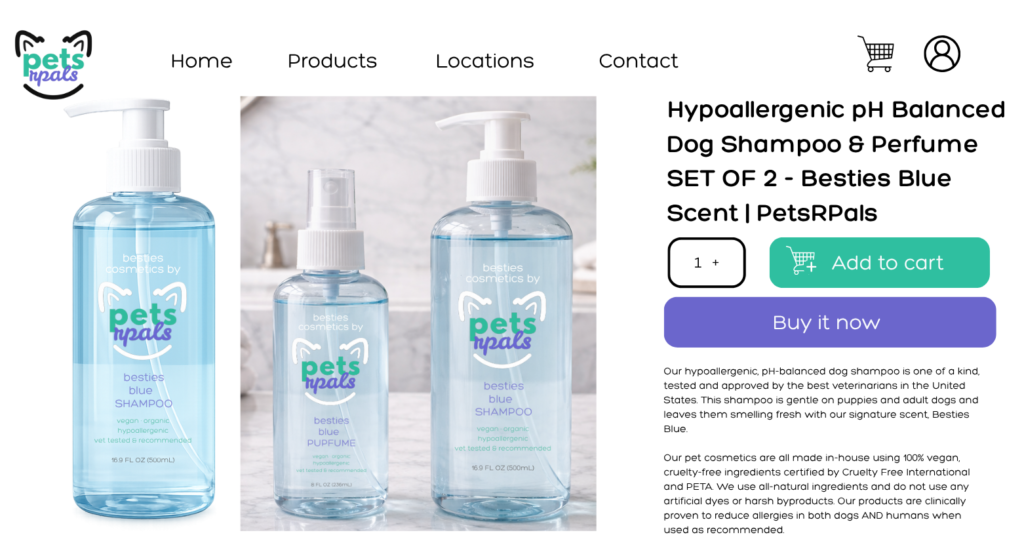
And here’s how that Gen-AI content can be used in eCommerce. Not bad, right?
Below is a combination of AI generation and some of my own designs. I created the logo and added text details to the bottles with a quick cut and paste and voila!

sample promo email segmented by customer lifetime value & total spend

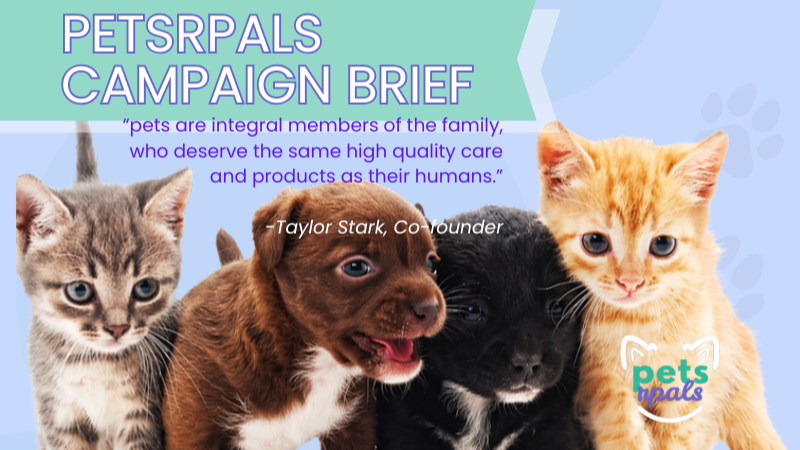
The PetsRPals campaign is a digital growth strategy built for a modern pet care brand focused on wellness, style, and sustainable shopping habits.
petsrpals campaign brief and brand overview for a modern pet retail brand

The PetsRPals campaign is a digital growth strategy built for a modern pet care brand focused on wellness, style, and sustainable shopping habits.